From Sign-Up to
Getting Paid in Minutes
No tech skills. No design experience. No website needed. Just your name, your services, your price, and where we send your money.
For You: 3 Steps.
Create Your Account
Sign up with your email. Add your name, what you do, and where you work. That's it.
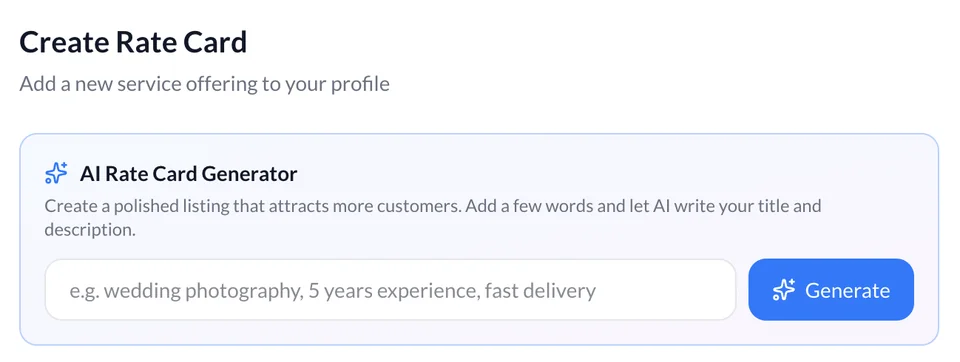
AI Rate Card Generator
List every service you offer with a name, description, dates of service, location and price. Choose between fixed one-time payments or recurring billing for each.
Share Your Link & Get Paid
Your profile is live at myratecards.com/a/yourname. Share it anywhere. Clients tap a service, enter their card, and pay. Payouts typically reach your bank about 2 business days after the job is done — though your very first payout can take 7–14 days while Stripe verifies your account.
Super Simple for Your Clients Too.
Your clients don't need to download an app or figure out a complicated checkout. Just a clean, easy booking page that works on any device.
-
Client Opens Your LinkYou see your RateCards link — it opens instantly in their browser, no app to download.
-
Client Picks a ServiceThey scroll your service menu and tap the one they want — Service label, description, and price.
-
Client Pays in 30 SecondsStripe-powered checkout. Accepts credit cards and debit cards. Done.
Common Questions.
No app download is required to book and pay — your clients just open your link in their browser, pick a service, and pay with their credit or debit card. If they want to manage a project or job afterward (message you, track status, etc.), they'll need to create a free account.
Payouts typically reach your bank account about 2 business days after the transaction completes, on Stripe's standard rolling schedule. The payout clock starts once the job is marked complete or the seller checks in for work. Your very first payout is the exception — expect 7–14 days while Stripe finishes verifying your account. Every payout after that follows the standard 2-business-day schedule. Some accounts may qualify for faster payouts. Payout timing is subject to Stripe's standard schedule and may vary based on your account type and verification status.
Starter is free for 6 months, then $5/month billed annually or $7/month monthly, with a 5.5% service fee per payment. Solo is $24/month annually ($29 monthly) with a discounted 4.4% fee, and Business is $119/month annually ($149 monthly) with a 3.85% fee. Annual billing saves up to 29%. See our pricing page for the full breakdown.
Yes. You can offer any service as recurring — daily, weekly, or monthly. Clients choose the cadence and duration that works for them when they book, and they're automatically billed on that schedule going forward. You can manage all recurring clients from your dashboard.
All payment processing is handled by Stripe — one of the world's most trusted payment platforms, used by millions of businesses. Card data is never stored on RateCards servers. All connections are encrypted with 256-bit SSL.
Still have questions?
We've got you covered.
Check out our Help Center or just start for free — it only takes a few minutes.